Showing posts with label update. Show all posts

Friday, 8 September 2017

Update Kali Linux 2017.1 via repository

I came to a peculiar situation when I tried to update Kali Linux 2017.1 via terminal. It shows me "Reading package lists... Done".

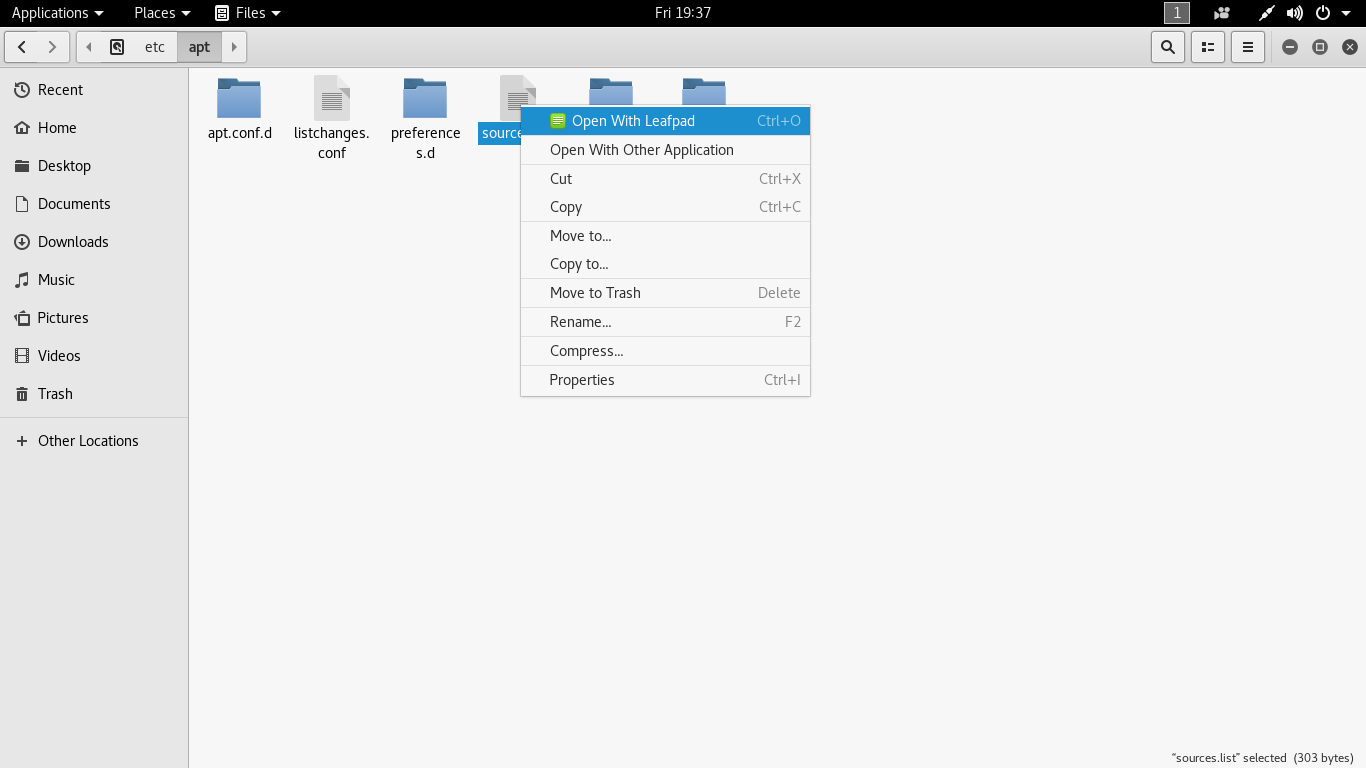
Then I navigate "sources.list" file to check if the repository in present or not. And, found the link to the repository was missing.


I added the repository link and saved the file.

And, then I tried to update Kali Linux 2017.1 via terminal and I was taking update.

Further I typed upgrade command and it worked too.

Saturday, 17 October 2015

EOF of Kali Linux 1.0


Kali Sana (ver. 2.0) has been out there couple of months ago and the response was great. Kali Moto (ver. 1.0) has been given 2 months of grace period to date the version to 2.0. To upgrade, edit the souces.list file and put the following entries.

cat >> EOF < /etc/apt/sources.list
deb http://http.kali.org/kali sana main non-free contrib
deb http://security.kali.org/kali-security/ sana/updates main contrib non-free
EOF

Then, run the following command to do upgrade Kali Moto to Kali Sana.

apt-get update
apt-get dist-upgrade # get a coffee, or 10.
reboot

Monday, 31 March 2014

How to fix Kali Linux slow update?

When we talk about update, we know that the client system is downloading an update and patches from the source(online- from the network resource or offline- cd/dvd or any other secondary source). Here, we are talking about online update only. Kali Linux is relatively new and have less mirror sites, so the less the mirror sites the more online users to access the server and utilizing all the bandwidth. When you type apt-get update on the terminal, it searches for the relative links for update from /etc/apt/sources.list. So, more the number of links in the repository file, the more time it will consume to search for an update. Below are the few necessary steps that you can perform to fix the issue.

STEPS:

1. Check if you got the right repositories in /etc/apt/sources.list. Please remove unwanted and un-necessary repositories from the sources.list. Click here for more.

2. Run apt-get clean to clear cache.

3. Run apt-get autoremove to remove un-successful installed packages.

4. Choose a fast DNS server. Click here to read this article. To add DNS server address, open terminal and type leafpad/etc/resolv.conf. Once you add the address of DNS server, save and exit the file.

Now, to keep Kali Linux up-to-date, type apt-get update, then apt-get upgrade and finally apt-get dist-upgrade.

Kali Linux Repositories

Hi Everyone! this is an updated post on Kali Linux repositories. Well, a repository is an archival source from where Kali Linux softwares are updated and upgraded online. sources.list is the file where all the links for necessary update are saved. When we execute a command apt-get update, it searches for the updated package online. Un-wanted or un-necessary links can cause failure of Kali Linux package installation, so make sure what link/s should be added to the repository so that Kali Linux should get proper update. 

Kali Linux distribution has three repositories, which are mirrored world-wide:

http.kali.org (mirrorlist): the main package repository;
security.kali.org (mirrorlist): the security package repository;
cdimage.kali.org (mirrorlist): the repository with ISO images.

On a clean installation, Kali Linux, have the following two entries present in /etc/apt/sources.list:

deb http://http.kali.org/kali kali main non-free contrib
deb http://security.kali.org/kali-security kali/updates main contrib non-free
These are called Regular repositories from where Kali Linux get its update. In case, you require additional package, then your can add valid package source. You might also want to add the following repositories as well. These are Sources repositories:

deb-src http://http.kali.org/kali kali main non-free contrib
deb-src http://security.kali.org/kali-security kali/updates main contrib non-free

Finally, do not forget to do an update Kali Linux on terminal by typing apt-get update && apt-get upgrade && apt-get dist-upgrade.


Suggestion from Mr. Phong Do. Mr. Phong Do, made a change by just replacing "http:" with "deb" and found update is much faster. Hi all, please check and update me in comments so that I can update the post accordingly. THANKS.

just change http to repo like this:
deb http://repo.kali.org/kali kali main non-free contrib

Saturday, 22 March 2014

GNOME Tweak Tool

GNOME Tweak Tool is an application for changing the advanced settings of GNOME 3. Below are the features that GNOME Tweak Tool can perform.


  • Reset to defaults settings
  • Startup application management
  • Enable Application menu
  • Dynamic or Static Workspaces creation
  • Disable all extensions
  • Install/Update/Uninstall extensions
  • Font size, hinting and anti-aliasing
  • Icons on Desktop
  • Clock: Show Date and Seconds
To install GNOME Tweak Tool open terminal and run
apt-get update and then 
apt-get install gnome-tweak-tool
Once it install GNOME Tweak Tool, run gnome-tweak-tool to run the application

Wednesday, 5 June 2013

Debian Sources List Generator

1. goto http://debgen.simplylinux.ch/
2. click on 3rd party repos
3. fill the details as per your requirement and click on send
4. now select sources under Default Debian Packages and if necessary check on yes include, if source packages are required and then click generate sources.list button to generate your links
5. add them to etc/apt/sources.list
6. open root terminal and type apt-get update

Wednesday, 29 May 2013

Installing Firefox on Kali Linux

Mozilla Firefox is a quite handy browser compared to Iceweasel (default browser in Kali Linux). It has lot of plug-in features that Iceweasel lag. Sometimes, we find it difficulty while navigating through Iceweasel. Hence, I thought of installing Mozilla Firefox. To do this, you have to first un-install Iceweasel from Kali Linux or else it won't allow you to install Mozilla Firefox. Here are the step that I performed.

1. Open root terminal window and type
    apt-get remove iceweasel
it removes iceweasel from the application menu

2. type echo -e "\ndeb http://downloads.sourceforge.net/project/ubuntuzilla/mozilla/apt all main" | tee -a /etc/apt/sources.list > /dev/null
it adds repository for the installation

3. type apt-key adv --recv-keys --keyserver keyserver.ubuntu.com C1289A29
import the required gpg key

4. type apt-get update
update the required package

5. type apt-get install firefox-mozilla-build
install mozilla firefox on your sytem

6. type firefox on terminal window to start working with mozilla firefox